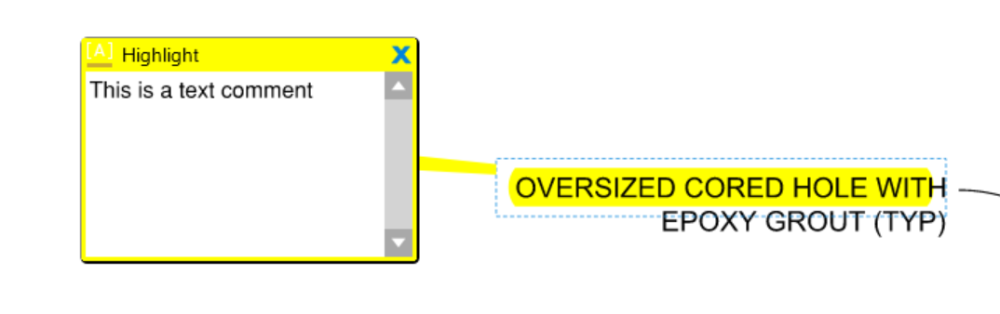
When marking up text documents I invariably find myself using Adobe Acrobat.
Why? - Because it has a superior 'Comment' functionality, whereby when I highlight a section of text and create a 'Comment' the whole section of text that is the subject of the Comment is left highlighted. Very easy to see.
Bluebeam has 'Highlight', 'Notes' and 'Review Text', but these don't work together to create the same effect.
Now here's the strange thing…
When I open a document in Revu that has been marked up with Comments in Adobe, the 'Comments' are clearly presented as a 'Comment on Text' markup in Revu. This is represented by an underlined A in square brackets in the Markups List. However, it seems that this particular markup tool is not available to use in Revu.
It exists, - but is not available to use.
If it were available, it would greatly improve text mark ups, and I think I could finally ditch Adobe.
Is there something I'm missing here?
The answer is not to apply a Highlight markup, then apply a 'Note' markup (two separate markups), - not when the 'Comment on Text' markup seems to exist (a single unified markup).