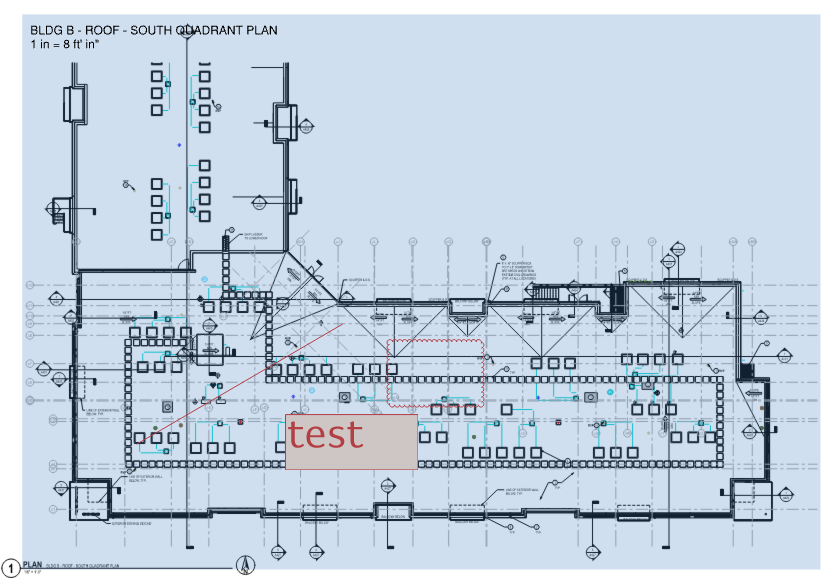
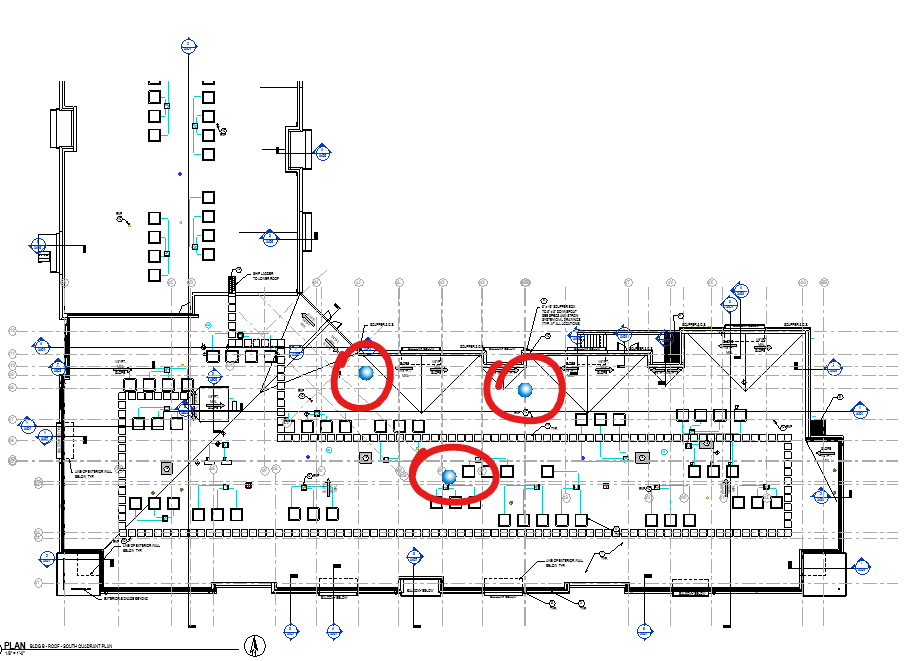
My company is currently trialing Bluebeam MAX and I have been testing the features of integrating Bluebeam Studio markups into our Revit models. However, after getting the model connected to the session I am not able to see the markups that are made in the session on the corresponding sheet in the model and only see the "blue dot" handles on where the markups would be on the sheet. I then discovered when opening a 3D view that the markups are coming in "floating" above the revit model. Is there a way to adjust the Z-axis or elevation of where these markup overlays come into the model? Please see images below. - Bluebeam Studio Markups within Viewport:
Hi CBlock,
From what you've shown, it looks like the Studio markups are being hosted above the model rather than being projected onto the sheet plane. I don't believe there's currently a user setting to manually adjust the Z-axis/elevation of imported Studio markups in Revit. I'd check that the sheet view and model coordinates are aligned correctly, but this may be a current limitation of the MAX–Revit integration. Hopefully the Bluebeam team can confirm if this is expected behavior or something planned for a future update.
Once the PDF is made from Revit ensure that the viewport is listed in Revu when you open the PDF. That should then not be moved or changed in the Revit sheet. "That" being the viewport. if it gets even slightly shifted or adjusted, that seems to break the connectivity between Revu and Revit.