is there a way to create page labels for a drawing set (ie 60-100+ pages), and then also add page numbering for sequential order (ie # prefix in front of custom page label)? it seems you can do one or the other, but not both?
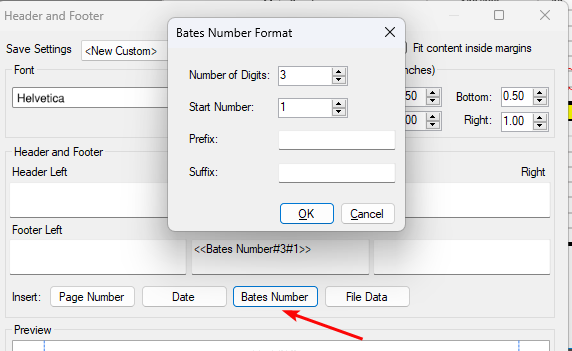
@Shelby, you can do it in Headers and Footers with "Bates Number".
Just use the following settings:Number of Digits: 3 Start number: 1
@Shelby Here's how I handle it: First, add the page numbers using the "Header and Footer" tool. Once that's done, use the "Create Page Labels" feature with the "Page Region" option. Include the page number field from the header/footer when setting up the labels. There may be another way to handle it, and Id love to hear!
looking for way to add prefix, such as 001, 002, 003 within page label (sequentially, starting at any number), so not sure header/footer option will work for that numbering format