Join a Bluebeam User Group (BUG)
Joining a Bluebeam User Group (BUG) to connect with industry peers is easy!

- Or, press Community from your top navigation to take you to the Community Hub.

Step 2: Find your people - browse the BUGs
- There are two main types of Bluebeam User Groups. They are: location and industry BUGs.
- Browse our list of BUGs to find the ones you'd like to join and select the page.
- Note: You're welcome to join as many BUGs as you'd like.
Step 3: Join the BUG
- Click the group you want to join (it'll be a thumbnail image)
- At the top of the group's page, click Join Group
- Once you've joined you'll see that Join Group will have changed to Joined
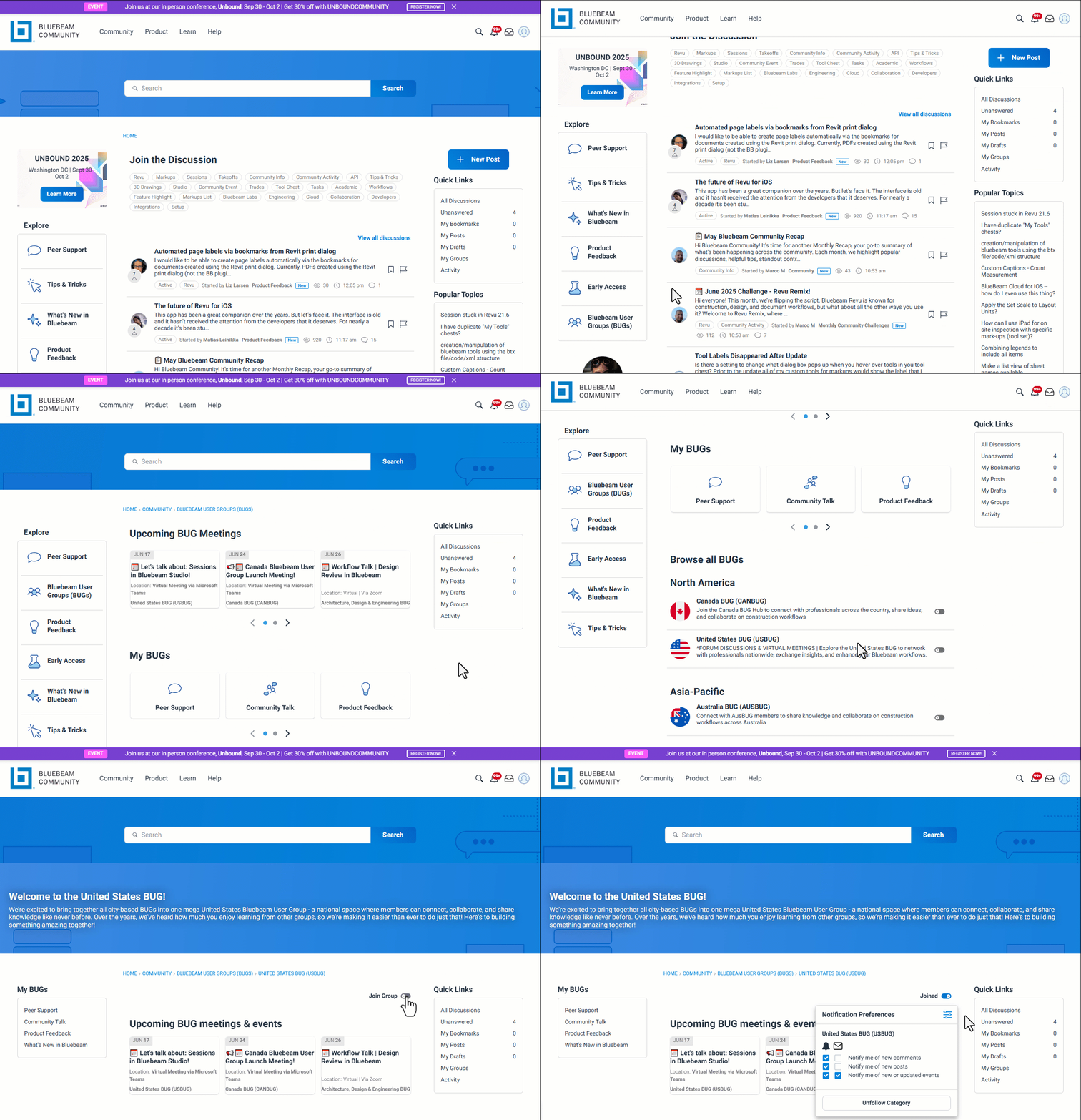
And, voila! You've joined a BUG!