Public Groups
All users (guests or registered members) can see the Group and its content.
Any registered Bluebeam Community member can join a public group and start participating immediately. There is no approval process. Simply click on the Join button when viewing these types of groups.
Examples of public groups: Local BUG Directories

Note: You'll notice if a group is public, as it's shown in the group information, next to "Privacy."
Note: Any guest user (not logged in to the community) can still view the content of a public group.
Private Groups
Any member can request to join a private group to participate in. Simply click on the Join button when viewing the group. However, there is an approval process in which either the group Leader or an Admin needs to accept.
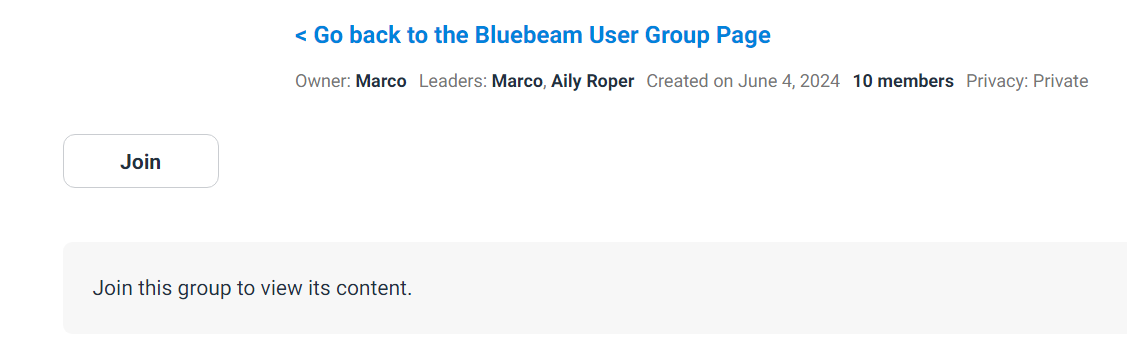
» Note: You'll notice if a group is private, as it's shown in the group information, next to "Privacy."
Group Privacy
Most groups are available to join publicly, while some are private.
For someone to join a private group, they need to put in a request to join. In most cases, private groups are locked and are a specific type of group, such as Certified Instructors or Professionals that have passed the certification exam. If approved by the group leaders, they'll be able to access the group.
Group Content
On a Group's page, users with the appropriate permissions can post content, including announcements, discussions (of all types), and events. Each content type is displayed and managed in its own section of the page.

Announcements
This is where admins and the group leaders can make announcements, with a small preview of what the announcement is about. Just like in the community, a group discussion can be made into an announcement.
Discussions
Group discussions have all the features regular discussions do. Members of the Group, depending on the permissions you have set, can also ask questions or create events for the Group.