How do I create a markup shortcut that I created?
Correct. That is the DGL Tool Set. If you add a tool to the My Tools chest, any tool(s) there will be numbered. I believe that's the only way to give a shortcut like command to a custom markup. I know it limits the usefulness in some ways, but I hope that helps.
Could it be this setting keeping you from accessing the hotkeys?
It looks like you have applied some custom properties to an out of the box (OOTB) markup and want to re-use that markup with the setting you have applied. If you right click on that custom markup, near the bottom of that pop up menu you will see "Add to Tool Chest >".
Click that option and select which one you would like to add it to. I suggest choosing "My Tools" so you can build your collection of custom Bluebeam Tools.
Is that what you wanted to accomplish?
Thank you your response.
I have already done that but wanted to assign a shortcut key for that markup. Is that possible?
As far as I know, keyboard shortcuts can only be added to the tools and commands that are already listed in that settings window.
Perhaps someone else knows a way to add custom My Tools there with the Import button.
Thank you for the feedback.
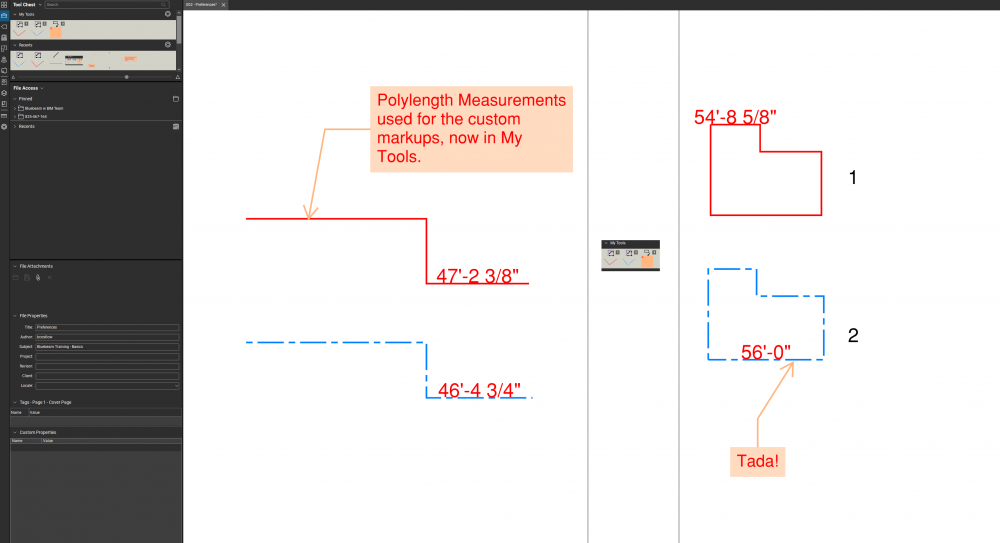
If you move the markup to your My Tools chest, it creates a hotkey for it. You can use the number assigned to the tool as a "shortcut" key.
Edit: I apologize for the late response. I was out of town. I hope this helps though.
Good morning, thank you for the response. When I look in my tool chest, it doesn't have the number like yours. Please see bellow:
How do you activate these tools with the numbers?
The tools that I created and added to my tool set are not numbered, but I made them default the keyboard shortcuts works for them now. You can also reassign the shortcut key if you would like (make sure they are not correctly assigned). Click on Revu-keyboard shortcuts to get the screen bellow.
That is the pop-up window I went to to try assigning shortcuts to "My Tools" after seeing your post. I am still unclear on how you can assign shortcuts to custom tools in this interface.
But it looks like you have figured it out…
I hope this helps.
Add the tool to "My Tools" and then type the number of the tool's place in the set. So, the first tool is 1, second is 2, and so on. Sometimes I don't see the numbers, but the function still persists.
If utilizing the method that @Debora Leal outlined, you'll get the default settings of the markup tool you assigned the shortcut to. If that is adequate for your purposes then so be it. I try to keep common tool shortcuts dedicated to memory, but my markups I change the most throughout a project, I make sure to turn into a custom markup, sort it into a logical (to me) set and then put my favorites in My Tools and just use the hotkeys it assigns.
Just make sure to right-click the tool and change it to Properties Mode if you want to draw the shapes and such yourself. If you want it more like a stamp, then Drawing Mode should be good.
I hope that helped.
That is what I wanted to do, but it didn't work for me. I don't have the numbers next to the customized tools that I created, and number 1, 2, 3 doesn't work. I was not able to reassign a shortcut key for them either.
Recently, when drawing lines, polylines, the linework on screen is extremely thick. Does not match the default line thickness, just really thick, rasterized lines. Then when the command/lines is finished, the line changes down to the correct line width. Is there a setting to fix this glitch?
Hello all, I've been searching around trying to figure out if this was possible but have had no success. I'm wondering if it's possible to take 2 or more exhibits and combine them along the matchlines 'WITHOUT' snapshot. Snapshot essentially turns it into an image. My intent is to retain the attributes of the original .pdf…
this change from Bluebeam for iPad to Bluebeam cloud just made the program useless. When we are in the field, attaching a photo to a markup was 80% of the point, so when exporting a summary, the photo would be with the callout. How is this most-used feature gone? I am just now finding this out at 1am and have to travel in…
I have installed Bluebeam on a new laptop. Trying to read pdf files is not happening. Thumbnails show up but main window is either gibberish or blank. Have shutdown and then restarted and deinstalled and reinstalled to no effect. Repeated attempts to access Bluebeam result in laptop freezing and need to hard shutdown to…
Hi all, I have many tools showing as disabled & can't do my take offs. This includeds my tools in my tool chests. Any suggestions before I cry?
The rectangle function will allow a colored fill to be used, as will the ellipse function. Is there a way to "fill" an area that is defined by a polyline?
I've created a dynamic fill of an area on a PDF, and am unable to delete it; even using the Dynamic Fill option to "Clear All", "Clear Fill". How can I delete/erase this dynamic fill?
When I add digital signatures, the window doesn't close after I'm done. It doesn't freeze. I cannot change locations on the document. It will stay open and let me repeat the exact process but never closes. I have to go to Task Manager and close Revu. Any thoughts? Thanks,
I recently upgraded my bluebeam from Core to complete. now my interface is on view mode, i have tried to comeback to markup mode but can not fine the markup mode please i need assistance.
After the recent update, my search function does not work any more. I have tried my files including the ones I have successfully searched words in before the update. Is this a bug? How can it be fixed?