This article was created from a community discussion.
Use Case
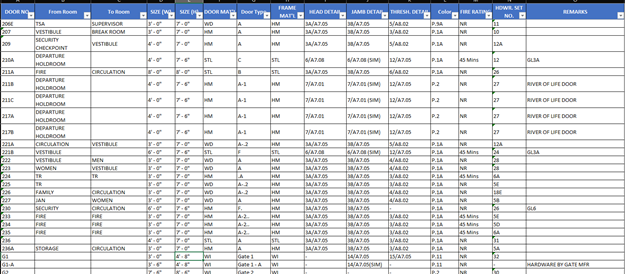
Table in PDF format do not have the same functionality as an Excel file in regards to filtering, sorting, and editing. Claude is able to take the door schedules in this example and export the data to Excel, and provide ways to filter and sort the data in Excel by material, size, location, etc…
Requirements & Setup
Bluebeam Max
Setup Instructions:
- Extract the sheets containing door schedules from your full drawing set.
- Open the new document containing the door schedules.
The Prompt Text
Export the door schedules found in the active PDF in Revu to Excel.
Expected Output
Output Format: Table with functionality to filter and sort in Excel.
Sample Output:
Disclaimer: AI-generated results may vary based on individual user context, prior interactions, and stored memory within connected AI systems. Always review outputs for accuracy and suitability before using them in any professional or compliance-related workflow.