Before BB Revue was reinstalled on my machine, I used to be able to fix text to the text box. I have lost that command and don't know how to get it back.
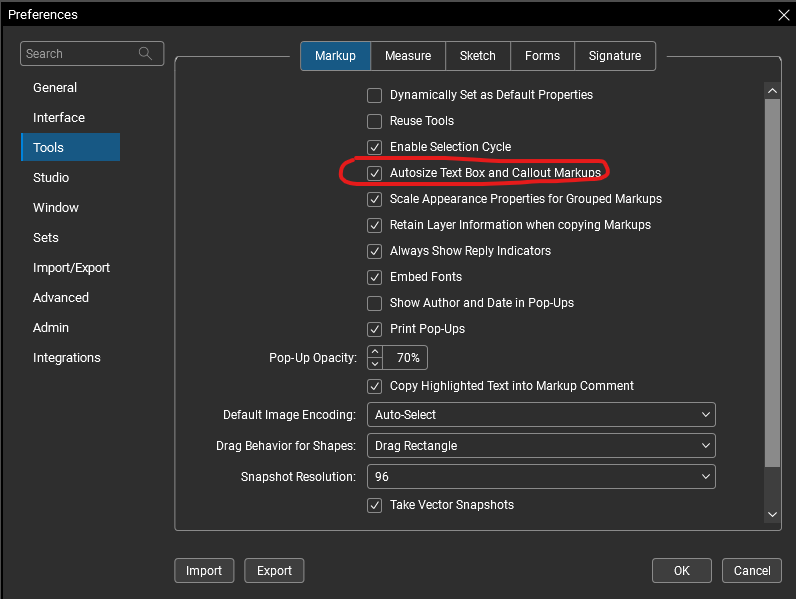
"Alt+Z" is the quickest way when you're in the text editing mode, but you can also change a setting in your preferences to do this automatically.
I can't seem to find how to set this autosize text button to show either @KGlaser, but I may have found a workaround!
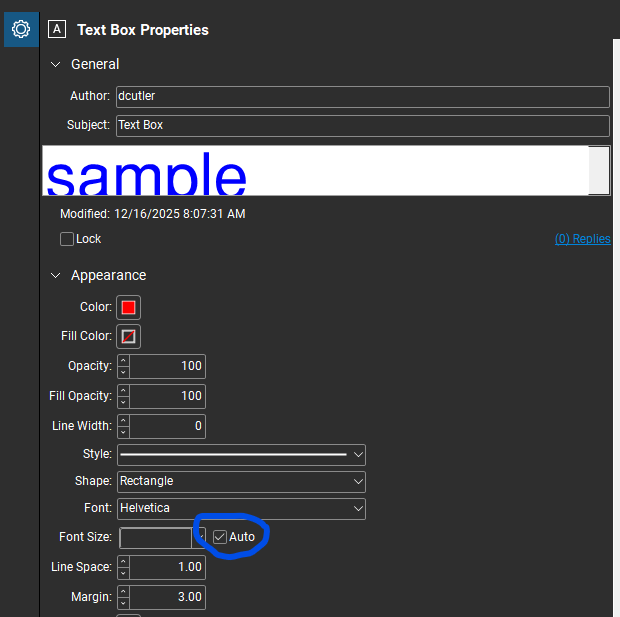
You can set the text box to autosize in the text box properties pane:
You can then set this as your default - or create a custom "autosize textbox tool" in your tool chest. Maybe even place it into your "my tools" chest and assign a number to it for easy 1 click access.
Hope this helps. 😎
@KGlaser are you looking to make the text box fit the text or are you looking to change the font size for the text so that it fits the text box that you have drawn?
it took me a while to find the screen you are showing above, and I clicked the box, but there isn't any change. There used to be a symbol within the Font toolbar that I could click to automatically scale the font to match the box size. Can you help me find that?
Thanks!
text to fit the box.
There used to be a symbol within the Font toolbar that I could click to automatically scale the font to match the box size. Can you help me find that?
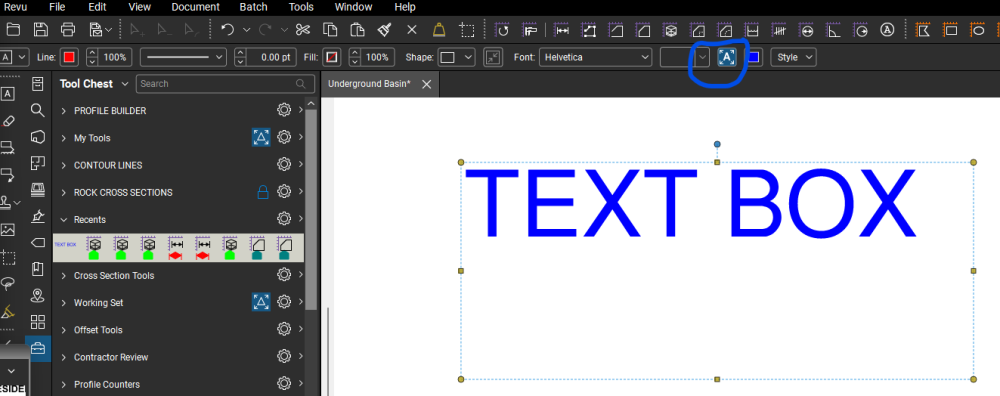
I think I found what you are looking for @KGlaser, but I'm not finding how to edit the tool bar to add/subtract it - it already shows when I select a text box:
Once "Autosize Text" is selected the font changes as the box is resized.
Can anyone help @KGlaser on how to make this option available to them?
that's the box i am talking about! I can't find it.
This actually didn't solve my biggest issue. see conversation with @David Cutler
@David Cutler that will do in a pinch- thanks!!
@David Cutler
I have the answer to this problem now!!
I no longer had the PROPERTIES TOOLBAR checked. That solved many of the frustrating issues I was having.
Thankyou for posting the ultimate solution @KGlaser! Glad to hear that you were able to find it. 😎