Build connections with Bluebeamers around the world, discover what’s new, and make your voice heard.
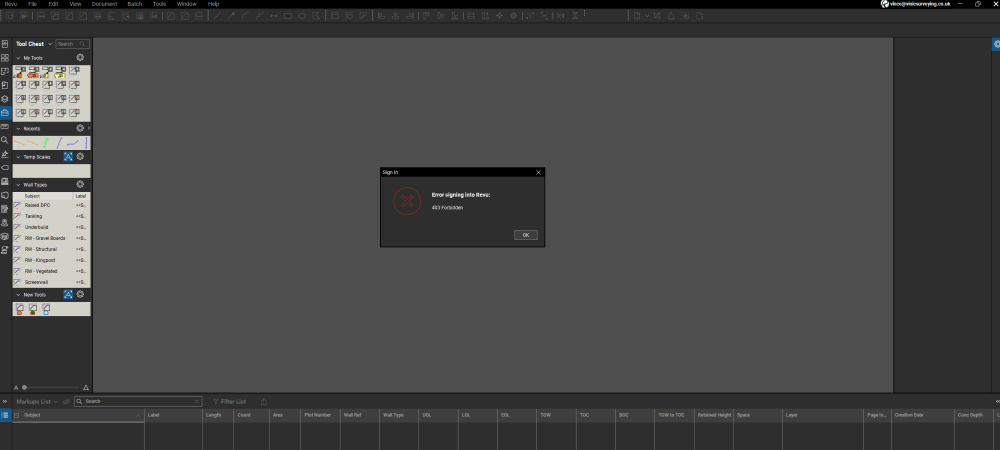
Just wondering if anyone else has had this error message pop up in the last few days?
I haven't seen that one @Vince French. Though I'm lagging back in Revu 21.6 so perhaps this is an issue in a newer release?
What happens when you click "OK" or otherwise close the error message block?
Hi @David Cutler - I'm on 21.8 but have been for quite a while now. The message only start on Tuesday this week. If you press "OK" the error clears then comes back a little while later. Very odd!
Sounds annoying @Vince French, but the bright side is that the software isn't crashing out completely! 😎
Have you done the DNS refresh from back when we had those login issues? Seems similar to the issue back in June https://community.bluebeam.com/discussion/5701/bluebeam-login-issues-restored#latest
I can't see this being the issue as I've only encountered it this week. There are now a couple of different messages appearing but they clear as soon as I press the "OK" button. Logging on has not been an issue so far.
Annoying but a complete disaster 😂
The gremlins are back from the Christmas/New Years Holiday! 😎
Been seeing this since coming back from a holiday break. Never had this issue before and I am also up to date on Revu 21. Tried a few different "suggestions" from a Google and Support search but nothing worked. Sent an email to my internal administrator just this morning to see if they can find anything. As another noted, its not stopping functionality but BOY its annoying!!
Yes sir, I am getting the same message. I Push Okay, then it clears, later it returns, etc. No issues logging in but it does distract me momentarily every time.
Agreed - very annoying!
Very interesting that this has only just started without any updates having been done recently.
One of the archived "solutions" when I did my search was something along the lines of "this issue can come up if you don't log in for more than 7 days. To solve the issue……log in." Paraphrasing a bit for effect but it was essentially that and I HAD been out on PTO for over 7 days so it tracked with that problem. But didn't solve the problem itself.
It looks like you're new here. Sign in or register to get started.