Build connections with Bluebeamers around the world, discover what’s new, and make your voice heard.
Hello,
I just updated to 21.7 and noticed the following changes which i was hoping to have a toggle on/off option under preferences.
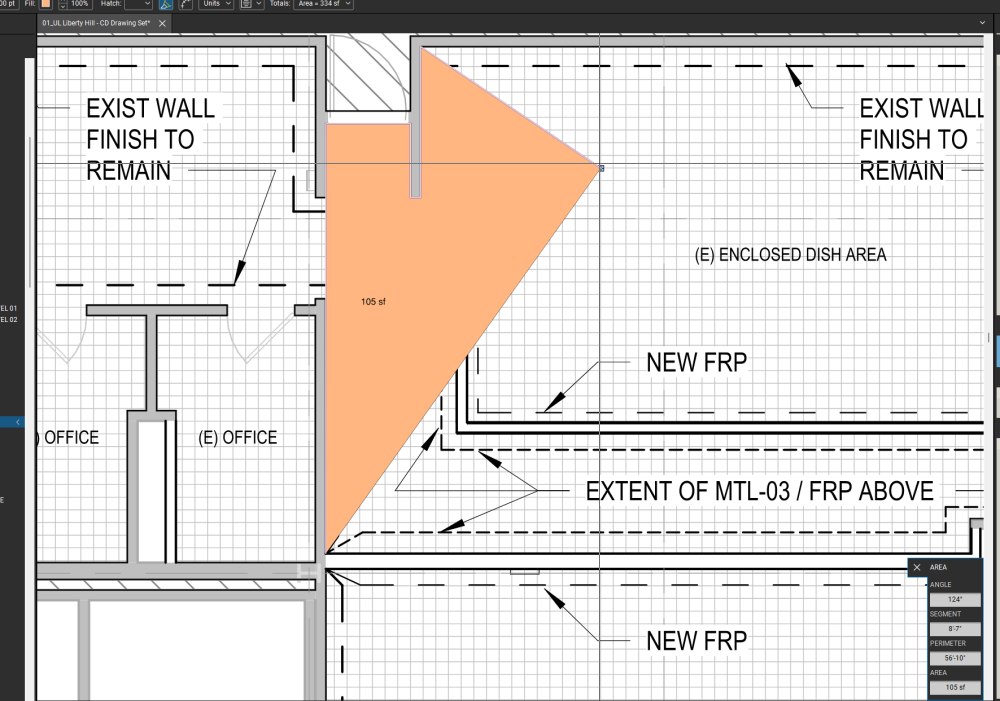
I Have the same issue and when I draw a shape I can't see the background I'm drawing over.
Very painful for highlighting rooms or areas on floor plans.
Have you found any solutions?
i figured out that the shape preview is based on your default settings for the individual line/shape. work around I'm using so far is to set my default lineweight to 0.00 then then adjust it after i've completed tracing my plans. @Bluebeam Support Please fix this!
Same Issue, it seems very hard to do takeoff. Zero visibility of drawing behind.
This is the reason I am now here browsing through the forums. Looking for a fix…. I have so many custom tools that are now useless and I would need to start from scratch and change default settings.
Seems to be fixed on 21.8