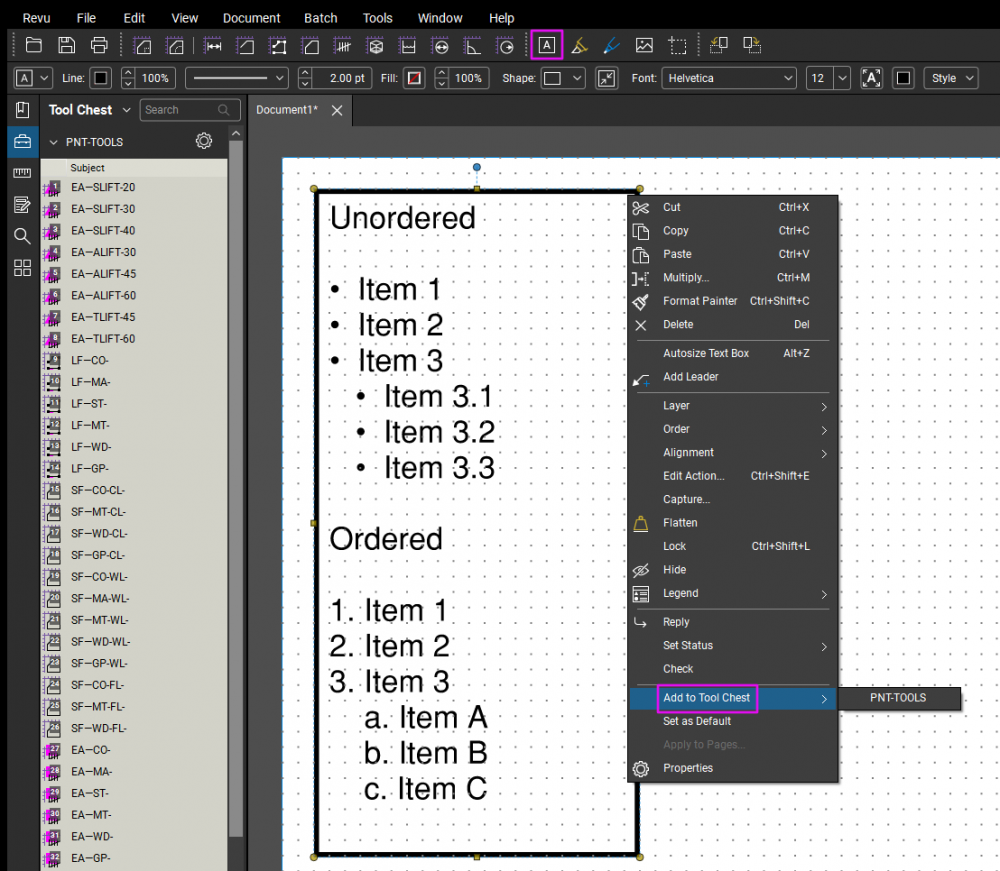
With more people using bluebeam as a CAD/drawing program. It would be nice if bullet points/numbers points with auto text indent was a feature.
Please 🤞
For manual Lists, what I've done when I needed a List is:
Alt + 0149
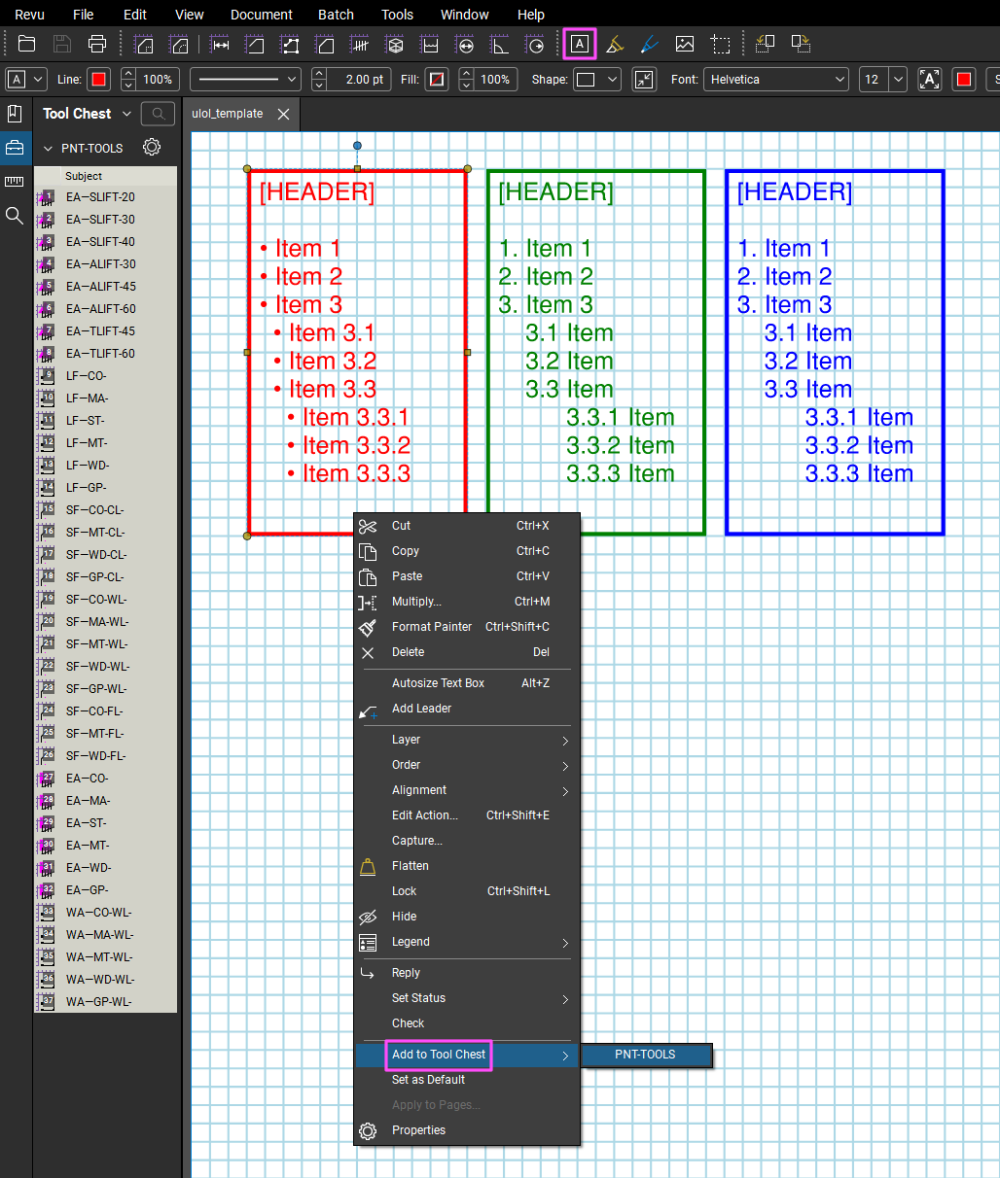
I can then just click on it later and add a Text Box template to whatever page I want.
Take a Look:
@nexlevel801 Thanks for sharing this tip. Using Alt+0149 for bullet points is an interesting approach (cumbersome, but interesting). How are you handling the indentation for items like 3.1, 3.2, and 3.3?
by the way, I just discovered that ALT + 7 also does the bullet point symbol!
ALT + 7
What I do is align the 3.1 with the beginning of the first letter of 3. and so on. As for it being cumbersome, That's what NotePad and Copy & Paste is for. 😉 Only gotta do it once. The rest is template.Ordered
A workaround for this will be discussed in the upcoming Champions Show and Tell series on Tool creation.
Register today.