🔍Ever struggled to find a specific number or text in a large drawing❓
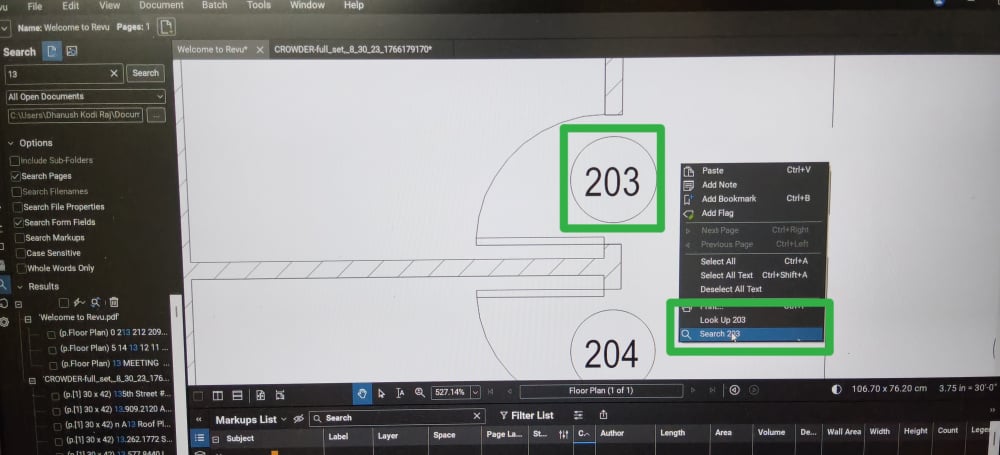
Guys a simple trick in Bluebeam Revu: Easy Search!
When you are reviewing a drawing, simply hover your mouse over a number or text, right-click, and use the search option to quickly find that specific item. Instead of manually typing the text into the Search panel, Bluebeam helps you search directly based on where your mouse is located.
Why I call it a “Easy Search” option:
✅ Quickly identify text or numbers in drawings
✅ Saves time searching manually
✅ Useful for large and complex PDFs
✅ Helps you locate repeated items instantly
Small feature, but it can make your drawing review workflow much faster! Have you used this option before? Let me know in the comments. Thank You

