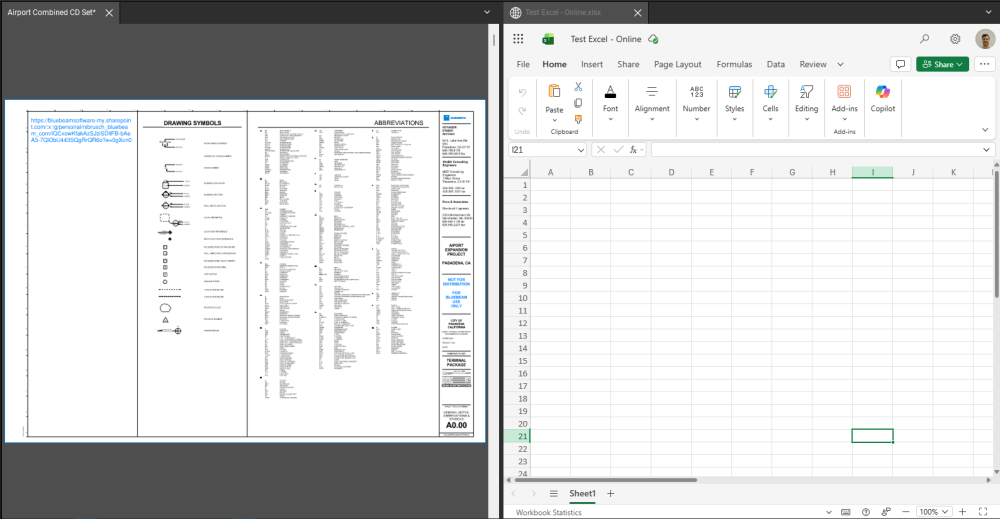
Could you please let me know if there is a way to split the window first and then open a spreadsheet or a Word file in one of those windows parallel to the pdf file?
Not in Revu specifically, but on a Windows machine, you can download Microsoft PowerToys and configure the "Fancy Zones" utility. This will give you pre/custom configured windows to snap your Revu, Word, or Excel to quickly. It's free as well! I really like this for having a widescreen monitor, it gives me multiple options dependent on my workflow.
Microsoft PowerToys - Windows Utilities for Power Users | Microsoft Learn
If you are OK with using the web version of excel, you could insert a hyperlink into one of your documents with a link to the excel web document. When you click on this link, it will open up a tab in Revu with the excel file. Note, to split the view, you must use the split view tool on the pdf tab. You can then manipulate the tabs like normal.
Thank you Jason !!. I will try that PowerToys feature too.
You can only split the Revu screen with PDF's
However, Windows 11 allows this. Click <Start> and Rt. Arrow and the current program will open on the right hand side of the screen. Click <Start> and Left Arrow to put another program on the left hand side of the screen.
Sounds like the perfect excuse to get a second monitor 😁
I all the time use Windows key + Right and Left arrow to move around the different application windows between two monitors. I guess that is what you mentioned above. Thank you for your input !!
sneaky.
Be warned though, the web version is still a bit behind the desktop version. Not all functions will be available to you. VBA won't work on the web version as well.
Thank you.