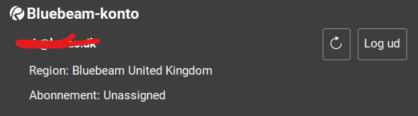
Hi everyone, I’m working with a new license that doesn’t seem to work. Everything is greyed out, and I can’t select any functions in the different documents. Is there something I forgot to activate or similar? I’ve paid for the “Core” version.
I had this issue with a couple students this term at Chemeketa Community College in a BLD101 Bluebeam Essentials course. They have Bluebeam Revu 21 licenses. A couple of the students had downloaded their license and all the options were greyed out. The license indicated it was unassigned. We sent the student to Bluebeam Academic to get this sorted. If you are not part of an academic licensing program I'd suggest reaching out to Bluebeam support:
support@Bluebeam .com
Good luck!
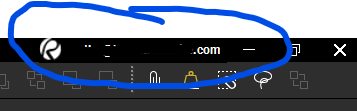
Let's start with the basics @ralf husted. Are you logged in so that your license is activated? You should see your username in the upper right corner of the screen:
If you are new to Bluebeam - or were a few versions behind - you wouldn't have had to sign in previously…
Hope this helps. 😎
Yes, Im signed in. but it seems like its not activated ?
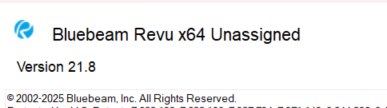
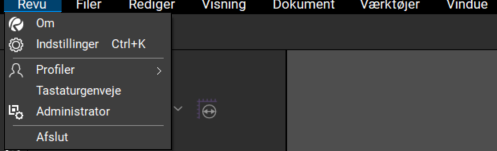
This is the version that is showing up when i tap in to the menu "about"
Sometimes something as simple as logging out, closing Revu, then reopening Revu and logging in can fix this.
Not knowing your organization @ralf husted I'm not really sure where to point you on this. We have 10 licenses that I administer and assign to our individual users. They then sign in to the software.
I agree with @Jason Artley's suggestion to close out/restart Revu and then sign in again to see if that gets you up an running. If that doesn't get you there I'd reach out to your reseller for guidance.
I agree with @Jason Artley and @David Cutler, Start by restarting the software. If that does not fix it, contact whoever manages your licenses because they may need to reassign it. If that still does not solve the problem, reach out to Bluebeam Support. They should be able to walk you through the issue.
https://support.bluebeam.com/contact.html
I had the same issue earlier this year after a Windows update, rebooting fixed it