I have about 20 markup measurements on my list. How do I total these for the overall measurement or do I have to do it manually?
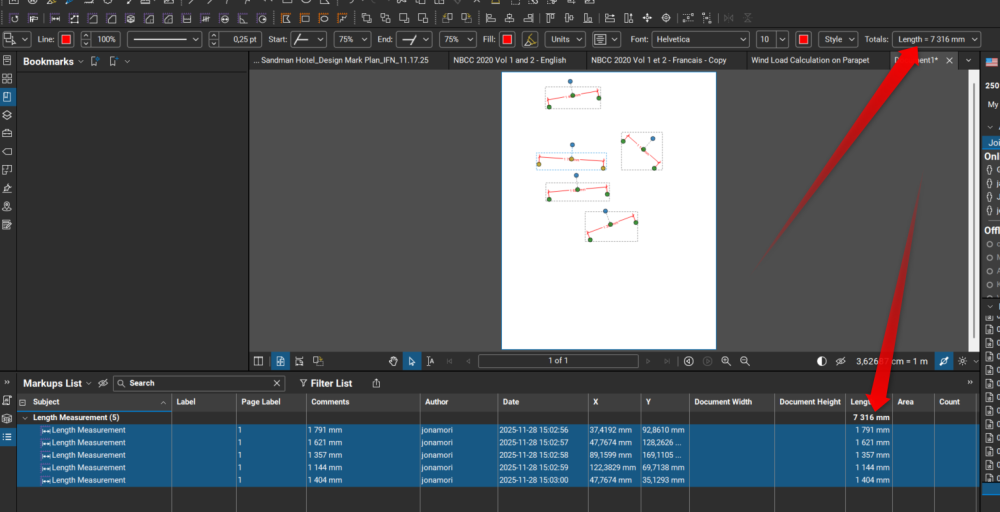
There is 2 options I know. You select them all and the total will appear at the top right OR again select them all, go in the markup table, click on subject and then look at the top of the "Length" column
Stop using the Length measurement tool and switch to either a Perimeter or Polylength tool. You can assign those a Subject and/or a Label for further sorting. Now save these to a tool chest.
Once you're done making markups, sort your Markups list how you want and it will total it for you as @Jonathan Morin showed above.
Thanks Jonathan,
That was extremely helpful
Murray
How about a little context. What are you measuring and to what end. There is a vast knowledge base here.