Build connections with Bluebeamers around the world, discover what’s new, and make your voice heard.
Do you remember the first time you were introduced to Bluebeam or the first thing you learned how to use?
If you could give one piece of advice or tip to new Revu users, what would it be?
👇️ Share below!
Play!!!
Ask questions.
A thousand times yes to asking questions, @Doug McLean!!! Personally, for a long time, a fear of mine was not appearing as smart as other people if I didn't know something about a certain topic. But in my experience, I've learned people are always more than happy to share! I think I ask about 100 questions a day now - ha!
Suggestion #1: In many cases, Bluebeam Revu provides multiple ways to get something done. Before you are faced with a critical project deadline or document release, spend some time to practice using your business process as a guide. For each step of the process, make sure you know and have practiced at least one way to perform that task in Bluebeam.
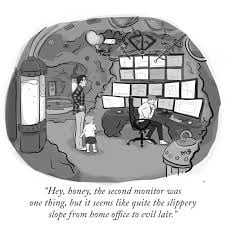
Suggestion #2: use the largest possible computer monitor you can. Use two if possible!
Look up the keyboard shortcuts and learn the ones for tools you use the most, like highlight or measure. Pretty soon you'll run circles around the rest of the office. https://support.bluebeam.com/revu/resources/keyboard-shortcuts.html
I agree with the monitor. I was able to talk my boss into an HD 32". It really does make a difference
Or 4….
I can relate 🤣
For any brand new user, the first thing you are going to want to do is change off the Revu profile. Revu> Profiles> Revu Advanced. This actually changes the UI quite a bit and makes it look a little more like AutoCAD. Now think about your workflow, how did you do that before? Look through the toolbars to find something that's close to what you would do with a pen, and just have fun.
Doug and Jes,
Both excellent suggestions. Thank you!
It looks like you're new here. Sign in or register to get started.